

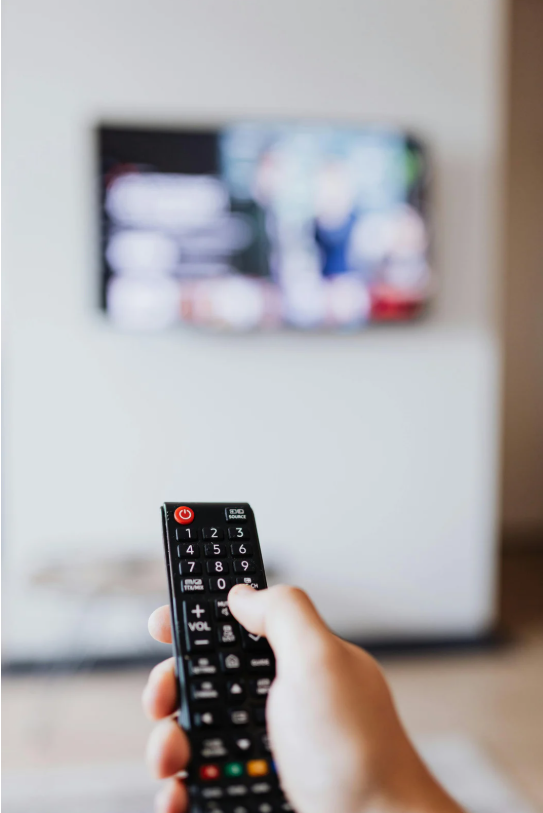
If your remote control for Samsung TV is not working, it can be incredibly frustrating, especially when you’re just trying to relax and watch your favorite shows. Fortunately, there are several methods you can try to troubleshoot and fix the issue. Whether you’re using a standard IR remote or a smart remote with voice control, this guide will help you get your Samsung TV remote working again in no time.
Understanding the Type of Samsung Remote You Have
Before diving into solutions, it’s important to know which kind of remote you’re dealing with:
Standard IR Samsung Remote
- Uses infrared signals
- Requires a clear line of sight to the TV’s IR sensor
Smart Remote / Samsung One Remote
- Connects via Bluetooth
- May include voice commands or touchpad functionality
Knowing the type helps narrow down possible causes and fixes when your Samsung TV remote malfunctions.
Check the Basics First
Let’s start with the most common and overlooked reasons why your remote might not be working.
Replace or Reinsert the Batteries
- Use new, high-quality batteries (preferably alkaline)
- Make sure batteries are inserted in the correct polarity (+/-)
Weak or dead batteries are the number one cause of unresponsive remotes.
Inspect for Physical Damage
- Look for water damage, cracked buttons, or corrosion in the battery compartment
- Clean the battery contacts if needed using a dry cloth or cotton swab with rubbing alcohol
Fixing an IR Remote Not Working
If you have a standard infrared remote, try the following:
Test the IR Sensor
- Open the camera on your smartphone
- Point the remote at the lens and press any button
- If you see a flashing light, the remote is sending signals. If not, the IR transmitter might be broken.
Clear Obstructions
- Make sure nothing is blocking the line of sight between your remote and the TV sensor
- Dust or dirt on the TV sensor can also affect signal reception—clean it gently with a microfiber cloth
Fixing a Samsung Smart Remote That’s Not Working
Smart remotes (like the Samsung One Remote) pair via Bluetooth and have different troubleshooting steps.
Re-Pair the Remote to Your TV
- Press and hold the Return and Play/Pause buttons simultaneously for about 5 seconds
- A pairing message should appear on the screen
- Follow any on-screen instructions
Reset the Remote
- Remove the batteries
- Press and hold the Power button on the remote for 8 seconds
- Reinsert the batteries and try again
Restart Your Samsung TV
Sometimes the problem lies with the TV, not the remote.
Soft Reset Your TV
- Unplug the TV from the power source
- Wait at least 30 seconds
- Plug it back in and turn it on manually
A power cycle can help fix glitches affecting the remote signal or Bluetooth pairing.
Use the Samsung SmartThings App as a Temporary Remote
If you still can’t get your Samsung TV remote control to work, your smartphone can come to the rescue.
Steps:
- Download Samsung SmartThings from the App Store or Google Play
- Connect your TV and phone to the same Wi-Fi network
- Open the app and add your TV
- Use the digital remote feature within the app
This is a helpful backup until you fix or replace your physical remote.
Update Your TV Firmware
Outdated software can interfere with how your TV communicates with the remote.
How to Check for Updates:
- Go to Settings > Support > Software Update
- Select Update Now
If your TV doesn’t respond to the remote, use the SmartThings app or the physical buttons on the TV to navigate.
If you need a complete guide on how to update Samsung Smart TV, click here.
Factory Reset the TV (Last Resort)
Use this only if nothing else works.
Reset via TV Menu:
- Go to Settings > General > Reset
- Enter your PIN (default is 0000)
- Follow the prompts to complete the reset
This will reset all settings, including apps and paired remotes.
When to Replace the Remote That Isn’t Working
If you’ve tried everything and the remote control for your Samsung TV still isn’t working, it might be time for a new one.
Consider:
- Buying an official replacement Samsung remote
- Using a universal remote programmed for Samsung TVs
- Continuing with the SmartThings app if you prefer digital controls
If your remote is beyond repair, check out this list of top replacement remotes for Samsung TVs.
Conclusion
Dealing with a remote control for Samsung TV not working can be a hassle, but the fixes are usually simple—from replacing batteries and resetting the remote, to pairing it again or using your smartphone as a backup. Try each method step by step to identify the culprit. And if all else fails, a replacement remote or professional support may be your best option.
Got any questions or need more help? Drop a comment below or share your experience!
Leave a Reply